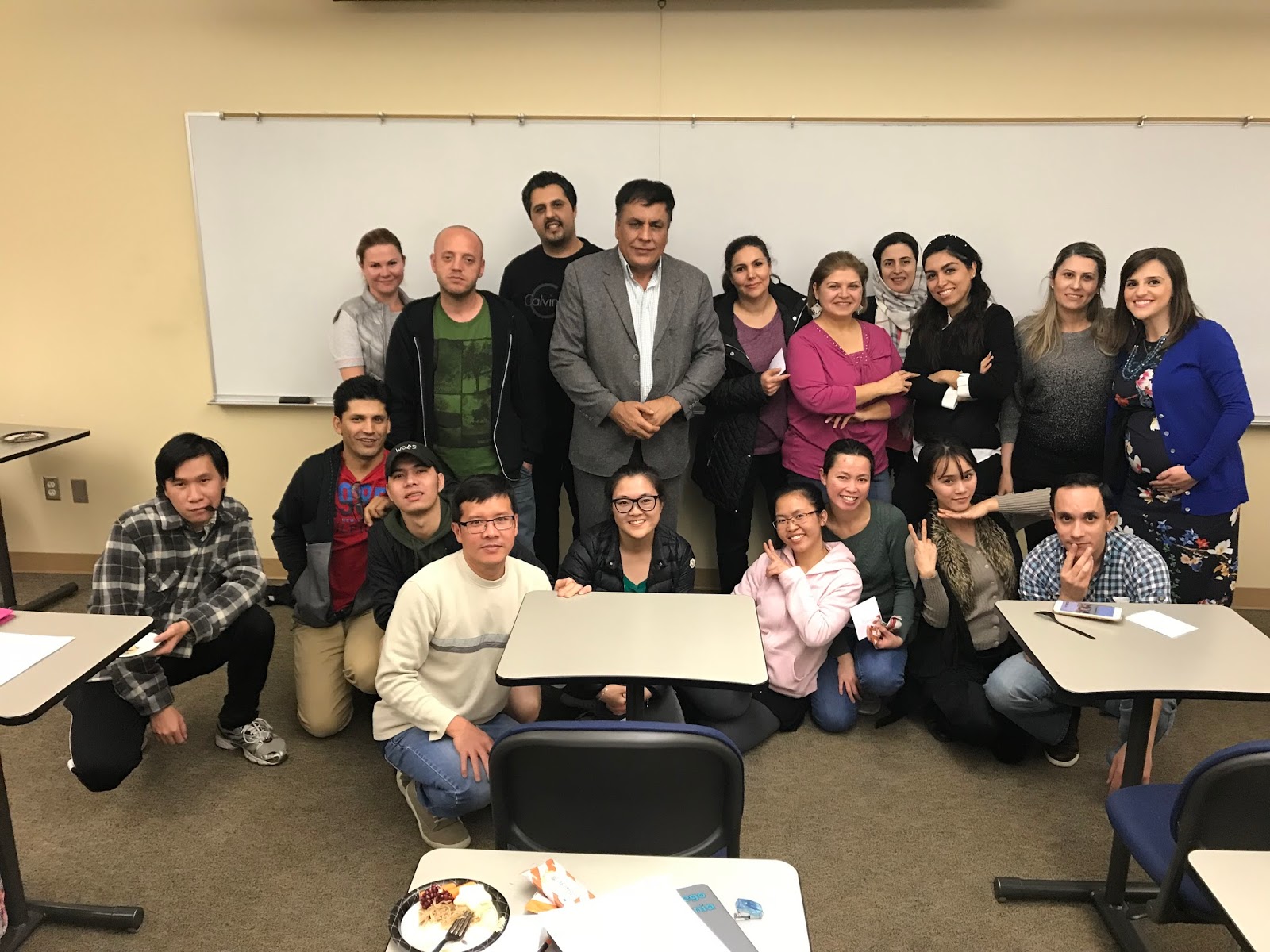
ELAC Fall 2019 Orientation Recap As usual, we hosted the ELAC Orientation the third week of the semester and invited the core classes in both daytime and evenings to come together. In the daytime orientation, ELAC students were treated to three former ELAC student speakers. Each speaker had wonderful words to share:
Parva talked about how confusing it can be as a new student and recounted how she didn't wear any make-up on her face on her first exam in an ELAC class because the syllabus said, "No make-up for exams."
Marlem spoke about how Financial Aid and Work Study has allowed her to continue her studies while working, and now her son is able to attend the Childcare Center while she is in class.
Thanh had many, many pieces of advice to our students about how to be prepared for class, participate during class, and to get active in campus groups and clubs.
We thank the different services who took time to visit: Police, Counseling, Financial Aid & Scholarships, Library, ASC, and for all of you who gave some helpful tips to students.
Dr. Carmen Jay, Department Chair of English, ELAC, and World Languages read aloud the following poem:
We know that students tend to feel some parts of the orientation are repetitive, and welcome ideas for new formats. Perhaps a student and/or teacher panel for spring? Let us know how we can improve it.
With input from all the colleges in our district, an ELAC self-placement tool is being created, modeled after Woodland Community College's ESL Self-Placement. This tool will be piloted at Mesa College in Spring 2020. Thank you for those that have sent student samples to be used. As we get into revision mode, we will ask for volunteers to try it out with their students and classes.
The TESOL Association IG account has been particularly useful lately - with resources, teaching tips, and information on all things TESOL.
Next Meeting - Stay Tuned
I'll send out a link soon with proposed meeting days/times and request for agenda items. It'll be nice to hear reports from those who attend CATESOL, get AB 705 updates, and we can see how the semester is going overall.
Heads up everyone: There's a new podcast by my friends/colleagues Brent Warner and Ixchell Reyes.
According to their official description, "DIESOL stands for Digital Integration in English as a Second or Other Language, and is meant to be a fun and forward-thinking play on our field, most commonly known as TESOL."
There are just three episodes so far and the third one is about all things vocabulary. Those of you who joined us at last year's presentation by Dr. Keith Folse will recognize a few of the myths that Brent and Ixchell present, including a discussion on L1 use in the classroom.
They cover some great tech tools and dictionaries for English language learners and describe a cool idea for a Vocabulary Scavenger Hunt which I instantly added to my online class activities.
If you are in your car, walking your dog, or at the gym, consider tuning in to the podcast!
Their podcast site has links to everything they mention, and I've add them here below for convenience:
Welcome back and Happy New Year! You'll find the following in this post: I. CATESOL San Diego Chapter Fall Workshop Recap by Tina-Marie Parker II: Video Blog Series Part 4, by Stefanie Johnson Shipman III. Classroom Profiles: ESOL 22 by Suzanne Adams and ESOL 21 by Karen Salerni IV. Tech Corner: Clips App V. Links & Things VI. ELAC Update VII. Upcoming Professional Learning Opportunities VIII. Sign up to Contribute a Blog Post I. CATESOL San Diego Chapter Fall Workshop Recap Saturday, November 18, 2018 at Alliant University by Tina-Marie Parker
The CATESOL San Diego Chapter Workshop is a small, intimate conference hosted each year by the local CATESOL chapter. This year’s theme was technology, and the majority of the sessions focused on using new and old technology to best meet student learning outcomes and needs. Kristi Reyes, the department chair of MiraCosta College’s non-credit ESL program, began her plenary presentation with a brief history of technology in education. She highlighted how quickly technology has evolved and the challenge of keeping pace. Although Reyes gave a plethora of information, I gained two major take-aways. The first is that to properly prepare our students for the workforce, we must prepare them to use technology in their professions. This does not mean we need to teach specific types of technology but that we must teach students the patience and skills to navigate new tools. We cannot predict precisely how technology will change each field, but we can assume that it will be dramatic and require our students to continuously learn the new gadgets and tools.
The second-largest takeaway was a free app, called Aurasma, that allows teachers and students to implement augmented reality into the classroom. Anyone can create an account and add augmented reality to the world around them. For example, students can augment presentations so that when their classmates focus their phones on pictures or objects, the viewer sees a written explanation or description of it, authored by the student himself. Students could also use this as a simple vocabulary-learning activity by augmenting a room with vocabulary words to describe everything within it.
I attended two more sessions, and one offered a simple way to offer feedback on student presentations. Rather than attempt to give real-time feedback, this teacher video recorded each student presentation. She then uploaded these onto YouTube using a private account and sent each student his or her video. The student would then watch his or her video from home and complete a self-assessment. During the next class period, each student would partner up and watch a classmate’s presentation while completing a peer assessment. Finally, the teacher would watch the student video and give feedback. This teacher compiled all of the feedback, noted the similarities and differences, and presented it to the student in a folder. To further enhance learning, the students used this feedback to modify and perfect their presentation before presenting it once more to a new audience (usually another ESL class at the school). While this teacher did not video record this second presentation, I imagine that it could allow the student to more concretely see his or her improvement and reflect on the process as a whole.
As I continue to implement new technology into my classroom, I found these sessions helpful and practical. And, when I feel that using new technology is time-consuming and frustrating, I remember that it is the ability to learn new technology that is important, and not necessarily the immediate know-how. In other words, it’s okay for us to struggle and persevere, as this will set the example for our students. II. Video Blog SeriesSeparating Difference from Disability with Students Learning English as an Additional Language by Professor Stefanie Johnson Shipman: Link: Week 4 Recap
Missed the previous videos? See the entire series here: Video Blog Series
III. Classroom Profiles: ESOL 22 with Suzanne Adams
ESOL 22 students
I used Flipgrid twice this semester for my students to prepare and gather ideas for their presentation topics. It was a great tool to use for brainstorming and for me to give them specific pronunciation feedback. Here is the link to my ESOL22 Class Flipgrid: https://flipgrid.com/820ygur Here is a direct link to the students posts about their Passions: https://flipgrid.com/57a55a
ESOL 21 with Karen Salerni
Professor Salerni with some of her ESOL 21 students
This fall, I experimented with using graphic novels in my
ESOL 21 class here at Miramar and my ESOL 20 class at Mesa. I’ll admit that I used
to think graphic novels were not as respectable as traditional novels, but that
changed after reading Marjane Satrapi’s Persepolisfor the first time in college. However, I still rejected graphic novels as a
new ESOL teacher because I was worried about the opinions of other professors.
Over the summer, I finally took the plunge and made an impulse decision to use Persepolis in ESOL 20 and American Born Chinese(ABC) by Gene Luen Yang in ESOL 21.
Now that I’ve seen my students’ responses to the books, I can’t believe I
waited so long to teach with graphic novels!
I paired ABC with The House on Mango Street by Sandra Cisneros in my evening section of ESOL 21 because I wanted to improve
engagement — both in class and with reading assignments — while exposing my
students to different genres. I connected the novels under the themes of
fitting in and identity because the stories highlight the experience of growing
up feeling caught between different cultures. Students read the books
simultaneously, but I introduced ABC
first so that they would have time to learn how to read a graphic novel and
become comfortable analyzing images and panels. They also completed a variety
of homework assignments and in-class activities that culminated in the creation
of a new comic featuring the main characters of ABC and Mango Street: Jin
and Esperanza.
Example ABC
Assignments from ESOL 21
Sample Poster Presentation
Journals: Students
completed three journal entries on Blackboard that focused on the book’s themes
and graphic elements and their own reactions to the story.
Kahoot: My
wonderful IA Kellie created weekly quizzes on Kahoot to check reading
comprehension. Everyone was always very excited and competitive on Kahoot days!
Dialogue Activity:
Kellie lead this activity where students discussed examples of characters
trying to fit in, wrote about their personal experiences with fitting in, and
finally created and presented short dialogues based on these experiences.
Theme Chart: Students
filled out a graphic organizer analyzing theme and purpose in ABC and Mango Street.
Final Project:
Students worked in groups and created a short comic that imagined Jin and Esperanza
meeting and attending the same school. The comic had to include a theme that
was presented in both novels.
I had a lot of fun working with graphic novels this
semester, and — more importantly — I genuinely believe my students did, too!
The majority of the class finished reading ABC
before the due date, and I think the book helped some students improve their confidence
in their own reading abilities. I’ve now fully embraced teaching with graphic
novels, and my Amazon cart is filled with potential books for future classes.
If you’re new to the world of graphic novels and interested in learning more,
here are some resources that helped me:
ComicLife: This one of the best programs for
creating comics. I wanted my students to create comics on poster board this
semester, but I’ve used Comic Life for different projects in the past. One
problem: The app costs $4.99, but there is a 30-day free trial if you download
the program on a computer.
Cult of Pedagogy has a helpful overview of the benefits of graphic novels in
the classroom with book recommendations from teachers.
ReadWriteThink:This is a great lesson plan for teaching students about graphic novel elements.
Although the plan is linked with Persepolis,
the first part is applicable to any graphic novel.
Do you use or want to use graphic novels in your ESOL classes?
I’d love to collaborate and share book recommendations, lesson plans, and more.
Leave a comment or email me at ksalerni@sdccd.edu.
IV. Tech Corner: Clips App Have you tried out the Clips App from Apple? It's a free app for making and sharing fun videos with text, effects, graphics, and more. Below is a quick video I shot on campus and then shared through Instagram for my online classes.
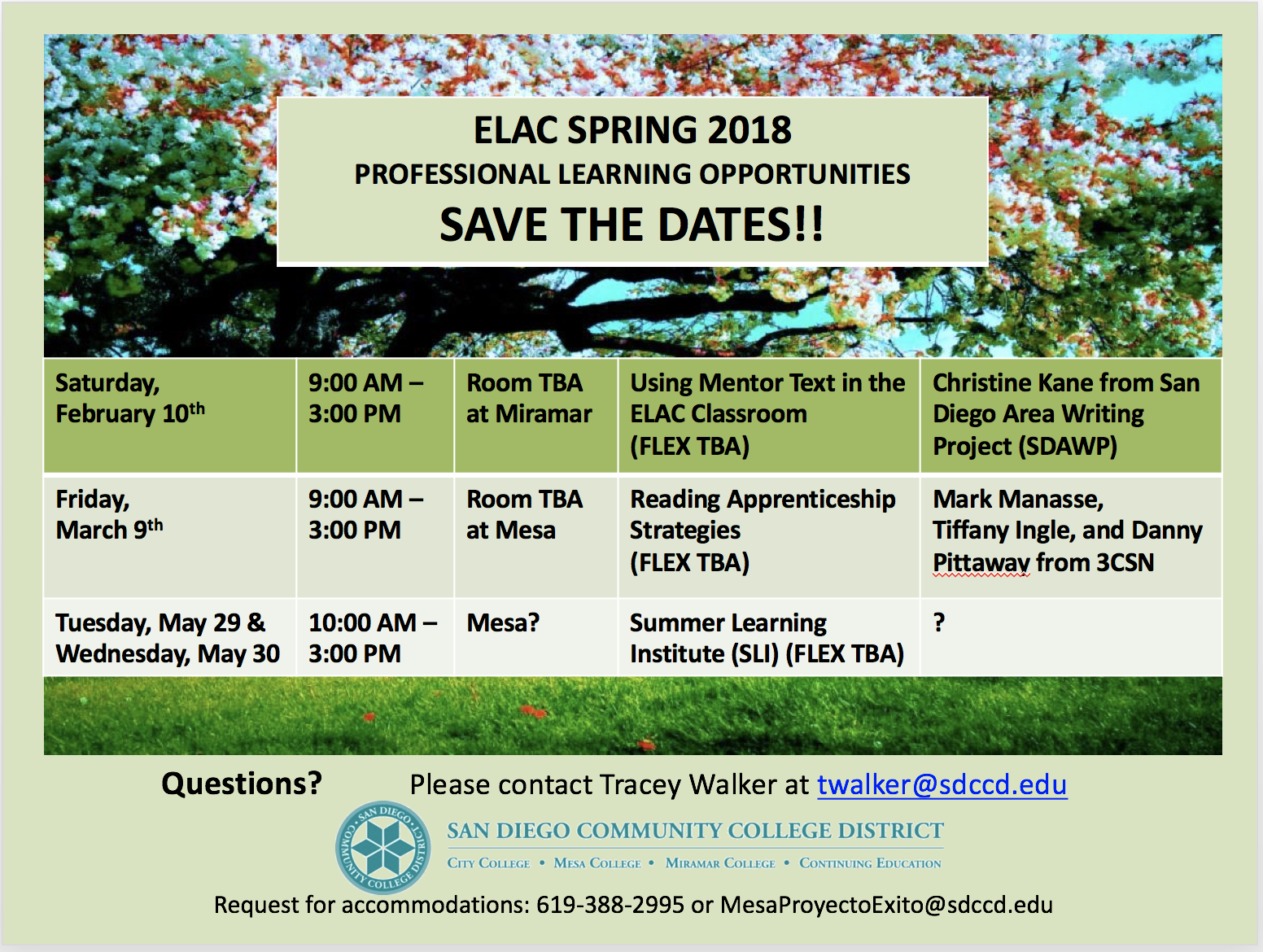
This semester we are again offering a number of PD opportunities to prepare us for the new ELAC (English Language Acquisition) Program that will be coming Fall 2018. I am especially excited to attend Christine Kane's presentation on Using Mentor Text in the ELAC Classroom. This is presented by the San Diego Area Writing Project and will be on our Miramar Campus!